 English
 Español
 Deutsch
 日本語
日本語 Français
 Русский
 Italiano
 Nederlands
 한국어
한국어 Svenska
 Dansk
Dansk Norsk
Norsk Suomi
SuomiWhat is Geometry Dash?
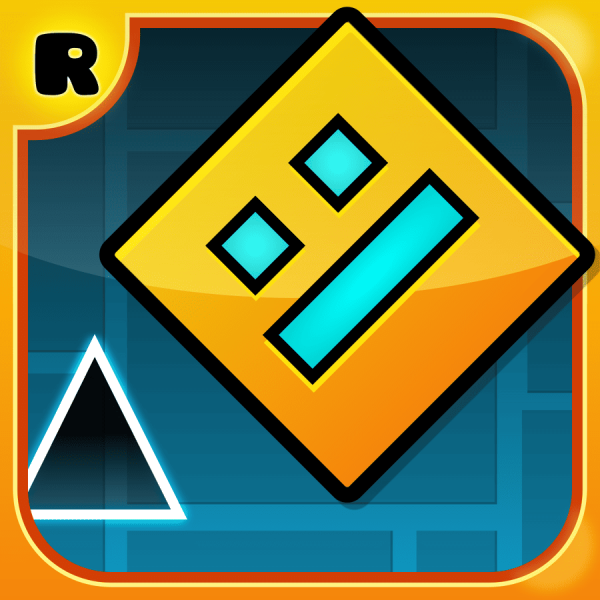
Geometry Dash is a rhythm-based platform game where players guide a geometric icon through obstacle-filled levels by jumping, flying, and reacting to music-driven patterns. The gameplay is built around precise timing—every obstacle, spike, and platform is synchronized with the background music, which helps players anticipate upcoming challenges.
Unlike traditional platformers, the character moves forward automatically, and the only control is timing your actions correctly. Levels often require memorization as much as reflexes, since obstacles appear quickly and leave little room for error. With its fast pace and instant restarts, the game rewards persistence and pattern recognition.
How to Play Geometry Dash Online?
In Geometry Dash, your character moves forward continuously, and your main task is to avoid obstacles by timing your jumps and interactions with the environment. A single mistake—such as hitting a spike or missing a platform—immediately restarts the level.
Clicking (or tapping) makes your character jump. The timing of each jump is critical, especially when dealing with sequences of spikes or narrow platforms. Some sections introduce gameplay changes, such as portals that switch gravity or transform your character into a flying ship. In flying sections, holding the input makes you rise, while releasing causes you to descend, requiring a different kind of control.
As levels progress, the patterns become faster and more complex. Many sections are designed around the rhythm of the music, so paying attention to the beat can help you anticipate when to jump. Success often comes from repeating levels, learning obstacle patterns, and improving your timing with each attempt.
What Are the Controls in Geometry Dash?
Geometry Dash uses very simple controls:
- Jump / Interact: Mouse Click, Spacebar, or Tap
- Hold (in flying sections): Rise upward
- Release (in flying sections): Descend
Even though the controls are minimal, the challenge comes from precise timing. Pressing too early or too late can result in failure, especially in fast-paced sections. Consistency and rhythm are more important than speed.
Geometry Dash Tips & Strategy
One of the most effective strategies is to focus on timing rather than reacting at the last second. Try to press slightly earlier than your instinct tells you, especially in faster sections. Watching how obstacles align with the music can also help improve your consistency.
For difficult parts, break the level into smaller sections in your mind and learn them individually. Repetition is key—each attempt helps build muscle memory. In flying segments, avoid holding continuously; instead, use short taps to maintain better control. Staying calm after repeated failures is also important, as rushing often leads to more mistakes.
Game Features
Geometry Dash stands out for its strong connection between gameplay and music. Each level is carefully designed so that obstacles match the rhythm, creating a more immersive experience. The game also introduces different gameplay modes through portals, such as cube jumping and ship flying, which keeps the mechanics varied.
Another notable feature is the instant restart system, which allows players to retry quickly without interruption. Combined with short but challenging levels, this encourages continuous improvement. The clean visual style and responsive controls make it easy to focus entirely on timing and movement.
Common Mistakes
A common mistake is reacting too late to obstacles. Because the game moves quickly, waiting until the last moment to jump often results in failure. It’s better to rely on rhythm and anticipation rather than pure reaction.
Another issue is overholding during flying sections, which causes sudden crashes into ceilings or floors. Using controlled, short inputs gives better precision. Players also tend to rush after multiple failures, but staying consistent and maintaining the same timing approach usually leads to better results over time.
Related Games
Category and Tags
Frequently Asked Questions
Who developed Geometry Dash?
Geometry Dash was developed by RobTop Games.
Are there different versions of Geometry Dash available?
Yes, besides the full version, there are several free versions available like Geometry Dash Lite, Geometry Dash Meltdown, Geometry Dash World, and Geometry Dash SubZero, each offering a selection of levels to play.
Can I create my own levels in Geometry Dash?
Absolutely! Geometry Dash features a comprehensive in-game level editor that allows players to design, build, and share their own custom levels with the community.
How many official levels are in Geometry Dash?
The full version of Geometry Dash includes over 20 official levels, each with unique music and challenges.
Is Geometry Dash available on mobile devices?
Yes, Geometry Dash is widely available on mobile platforms, including iOS and Android devices, as well as on PC.
Is there an online community for Geometry Dash?
Yes, Geometry Dash has a vast and active online community where players can share their created levels, compete on leaderboards, and customize their icons and colors.
You Might Also Like games
























Comment