• Home
  • Driving Games
  • Arcade Games
  • Daily Games
  • More Games
  • Language: English
    English EnglishEspañol EspañolDeutsch Deutsch日本語 日本語Français FrançaisРусский РусскийItaliano ItalianoNederlands Nederlands한국어 한국어Svenska SvenskaDansk DanskNorsk NorskSuomi Suomi

    What is Run 3?

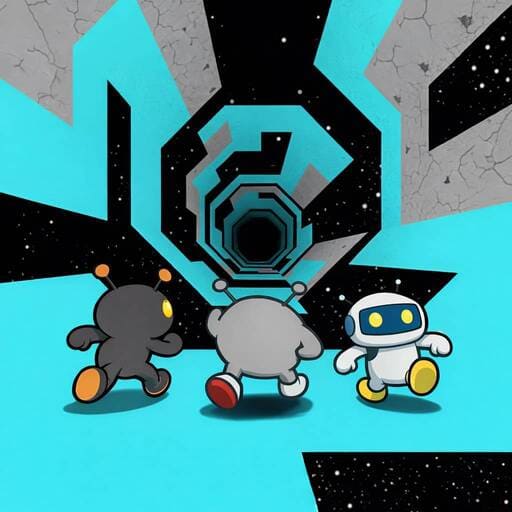
    Run 3 is a space‑themed running game where you guide a small alien character through crumbling tunnels in outer space. The catch? The path ahead isn't fixed. Tiles constantly disappear, new gaps open up, and you’ll often need to rotate the entire tunnel to find a new floor. One wrong step, and you drift into the void.

    What makes Run 3 truly different is its gravity‑based movement. Instead of simply running right, you can walk on the ceiling, the side walls, or even flip the tunnel to create a safer route. The early levels feel calm, but by mid‑game you'll be making split‑second decisions while the tunnel shifts around you.

    The game rewards players who stay patient and look ahead. It's easy to start a run, but hard to stop playing once you understand how much control you actually have over your jumps and landings.

    Play Run 3  Online – Free Browser Game

    Game Features

    • Space tunnel gameplay with full gravity rotation – you can walk on any surface
    • Gradually introducing new obstacles: crumbling tiles, long gaps, moving platforms, and dark sections
    • Playable characters with real differences (Runner – balanced; Skater – faster on straight paths; Bunny – higher jumps; Lizard – sticks to walls)
    • Infinite Mode – an endless tunnel with increasing speed and randomness, separate from the main level progression
    • Minimal controls but deep movement mechanics – air steering and jump timing matter a lot

    How to Play Run 3 Online?

    Your main goal in Run 3 is to survive and reach the end of each tunnel segment. You move left or right, jump over holes, and rotate the tunnel to change which surface becomes the “floor”. When a tile disappears under you, you have a small window to jump to a neighboring tile or flip the tunnel before falling.

    The game has two main modes:

    • Main levels – a structured campaign where each tunnel introduces new mechanics step by step.
    • Infinite Mode – an endless runner variant where the tunnel keeps generating, and your only goal is to travel as far as possible.

    As you progress, you unlock new characters. Each character changes how you approach the same tunnel – for example, the Bunny can skip large gaps that the Runner cannot, but it bounces higher, making platforming trickier in tight spaces.

    What Are the Controls in Run 3?

    • Left / Right Arrow Keys – Move left or right
    • Space Bar – Jump (hold slightly longer for a higher jump)
    • Shift key (or Up Arrow on some versions) – Rotate the tunnel clockwise
    • A / D – Alternative movement keys
    • Air control tip: While in the air, you can still nudge left/right to adjust your landing spot.

    The controls are simple, but mastering air steering and knowing exactly when to rotate the tunnel separates short runs from long survival streaks.

    Run 3 Tips and Tricks

    • Use air steering – after jumping, you can slightly move left or right. This saves you from falls when you misjudge a gap.
    • Rotate the tunnel before you need to – if you see a broken section ahead, flip early so you land on a fresh surface.
    • Jump from the edge – for long gaps, walk to the very last pixel of a tile before jumping. It gives you maximum distance.
    • Different characters shine on different levels – the Skater is great on straight tunnels, the Lizard helps on wall‑heavy sections, and the Bunny is overpowered for large holes but risky on precision jumps.
    • Replay early levels with new characters – this unlocks “exploration mode” secrets and helps you learn the physics without pressure.
    • In Infinite Mode, don’t chase speed – the tunnel gets faster automatically. Focus on reading the next 5–6 tiles, not just the one in front of you.

    You Might Also Like

    Frequently Asked Questions

    How do I unlock new characters in Run 3?

    You can unlock new characters by progressing through the levels and completing challenges. Each new character comes with unique abilities that can help you navigate different obstacles more effectively.

    Can I play Run 3 on my mobile device?

    Yes, Run 3 is available on mobile devices. You can play it directly in your browser or download it from the app store, depending on your platform.

    What should I do if I keep falling off the platforms?

    If you're struggling with falling off, try focusing on your timing and making sure you're using gravity switches at the right moments. Practice on simpler levels to get used to the jump mechanics and gravity control.

    Are there any cheats for Run 3?

    There are no official cheats for Run 3, but improving your skills and learning the best timing for jumps and gravity control is the key to progressing in the game.

    How can I improve my score in Run 3?

    To improve your score, focus on collecting power-ups, avoiding unnecessary falls, and mastering the gravity switch mechanics. The better you control your character, the higher your score will be as you reach more levels.

    You Might Also Like games

    Comment